
How to build an FAQ with FAQPage schema in a Blogger theme
A frequently asked questions section not only clears up readers' doubts, it is also an answer-first content unit that AI and Google like to cite. This article teaches you how to add an accordion FAQ with automatic FAQPage schema to a Blogger theme with BlogKub, along with the latest things to know about rich results.
Quick summary: add the FAQ block in BlogKub to enable the FAQ styles and script in the theme, then Export the XML and upload it to Blogger. In a post, write a .bk-faq block using <details><summary>, and the system builds an accordion and FAQPage JSON-LD matching the displayed questions automatically, helping both AEO/GEO and content clarity.
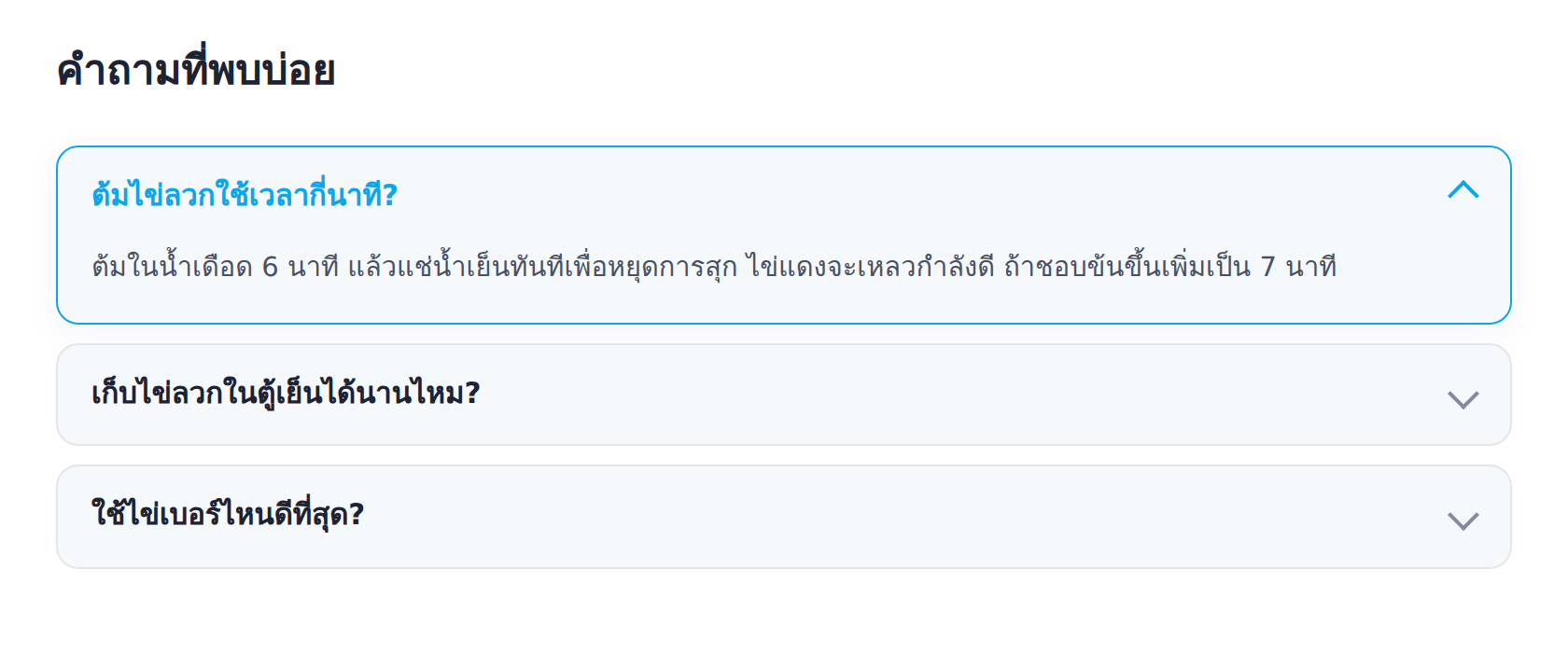
What an FAQ is, and why it is powerful in the AI era
An FAQ (Frequently Asked Questions) section is a set of short questions and answers collecting the common doubts about a topic. It usually sits at the end of an article as an accordion you can open and close. The upside is that it answers specific questions the main content may not cover directly, and each question is an "answer-first" content unit in itself.
In an age where people type full-sentence questions into search and ask AI directly, an FAQ becomes a real asset, because the question-and-answer format matches how users ask and how AI looks for answers. When an article has a well-written FAQ, the odds that one of its questions matches what someone searches and gets cited go up.
The latest to know: how FAQ rich results changed
For transparency, it has to be said plainly that since mid-2023 Google reduced the display of FAQ rich results (the dropdown under a result), limiting them mainly to trusted health and government sites. So general sites may not see that dropdown in the results the way they used to.
That said, adding FAQPage schema still has value, for reasons broader than showing a rich result alone. It helps search engines, and especially AI Search, understand which part is a question and which is an answer, giving the content a structure answer engines can use easily. The accordion itself also helps UX directly, rich result or not. In short, keep doing FAQs fully, just set your expectations about the search-result dropdown to match reality.
How BlogKub's FAQ works
BlogKub splits two parts that work together. The first is the accordion style and script installed in the theme when you add the FAQ block. The second is the FAQ content you write in each post using the .bk-faq structure. When the two meet, the script makes the questions open and close, and reads the actually-displayed questions and answers to build matching FAQPage JSON-LD automatically.
The upside of this approach is that the schema always matches what the reader sees, which is a key Google requirement forbidding FAQ content in structured data that does not appear on the page. So you never risk hand-writing schema and breaking policy.
How to add an FAQ in BlogKub, step by step
- Enable the FAQ feature in the theme. Open the left library, category "Article & UX", and drag the "FAQ" block in to embed the FAQ styles and script in the theme.
- Export the XML and upload. Click Export, then take the file to blogger.com → Theme → three-dot menu → Backup/Restore → select the XML file.
- Write questions and answers in the post. In the post editor, switch to HTML view and place the FAQ block as in this example, wrapping it in
<div class="bk-faq">with each question as a<details>:<div class="bk-faq"> <details> <summary>How many minutes to soft-boil an egg?</summary> <p>Boil for 6 minutes, then straight into cold water.</p> </details> <details> <summary>How long do soft-boiled eggs keep?</summary> <p>1 to 2 days in the fridge, and reheat before eating.</p> </details> </div> - Publish and check Rich Results. Publish the post, then put the URL into Google's Rich Results Test to confirm the FAQPage reads correctly with no errors.
Each question is one <details>, where <summary> is the question and the following paragraph is the answer. BlogKub's script pairs these questions and answers to build matching schema.
How to write a quality FAQ that gets cited
- Use real questions people ask. Think about what readers genuinely wonder after the article, or the words people type to search. Do not invent questions no one asks.
- Answer completely in one answer. The answer should be concise and to the point, 1 to 3 sentences, so people get the answer at once without clicking elsewhere.
- One question per point. Do not stuff several questions into one, because it is both hard to read and confuses the schema.
- Relevant to the article. The FAQ should build on the main content, not be a floating unrelated question hoping for schema.
- Write complete sentences, because AI and voice assistants read the answer straight from this text.
The FAQ with AEO/GEO and the summary box
An FAQ pairs neatly with the AEO summary box. The summary box answers one main question at the top of the article, and the FAQ answers several secondary questions at the end. Using both, your content covers the big question and the smaller ones, expanding the space where AI Search can cite you with a link back to your site.
For GEO in particular, the question-and-answer format is a language model's favorite food, because it is clear what is a question and what is an answer. When ChatGPT Search or Perplexity scans a page, a well-structured FAQ is a spot that gets pulled in often.
Another angle not to miss is that an FAQ captures "long-tail" searches the main article may not target specifically. People may not search just a broad topic title but a specific question. When your FAQ has a question that matches what they typed, your page has a chance to appear and answer it precisely. The more articles you accumulate with FAQs covering varied questions, the wider your site catches searches, without writing a new article for every question.
Common problems and how to fix them
The Rich Results Test does not find FAQPage
Check that you wrapped all questions in <div class="bk-faq"> and each question is a correct <details><summary>. If the structure is off, the script cannot build the schema.
Questions do not open and close
It means the FAQ block is not added in the theme yet (the script and styles are not embedded). Add the FAQ block in BlogKub and Export again.
Answers too long in the box
Trim to a concise 1 to 3 sentences. If there is a lot of detail, put it in the main content and summarize briefly in the FAQ.
Best practices
- Include 3 to 8 real, relevant questions. Quality matters more than quantity.
- Place the FAQ at the end of the article after the main content, to answer remaining doubts before the reader leaves.
- Do not repeat an answer from the content word for word. Summarize or add a new angle.
- Review the FAQ when you update the article, so answers match the current information.
- Check the Rich Results Test after publishing to confirm the schema works.
Example FAQs for different kinds of blog
A good FAQ starts from understanding what your readers genuinely wonder. Here are question styles that tend to work well in each kind of blog, as inspiration for writing your own.
- Travel blog: "When is the best time to visit", "How do I get there from downtown", "How many hours should I allow", "Is there an entry fee". Practical questions trip planners want answered right away.
- Product review blog: "How is this model different from the last", "Is it worth the price", "What does it work with", "How many years of warranty". Questions that help people decide to buy.
- How-to / tutorial blog: "How long does it take", "What equipment do I need", "Can a beginner do it", "What if I miss this step". Questions that unblock the person following along.
- Health blog: "Who is it for", "Are there precautions", "When will I see results", emphasizing accuracy and citing credible sources, because it is YMYL content.
Notice that good questions often start with how, when, why, or whether, matching how people type searches and ask AI. Phrasing questions to match the language your readers actually use is the key to getting your FAQ cited.
Wrapping up
An FAQ section is a worthwhile investment for both the reader experience and AI-era search. Even though the FAQ rich result in the results has been limited, FAQPage schema still gives your content a structure that AI and search engines understand. With BlogKub, you just add the FAQ block to enable the styles and script in the theme, then write real questions and answers in the .bk-faq block, and the schema matching what is displayed is built for you automatically, so every article is ready to answer both readers and AI at once.
Frequently asked questions (FAQ)
Does FAQPage schema still help SEO after Google cut back the rich result?
It still helps. Even though Google limited the FAQ rich result (the dropdown under a result) mainly to trusted health and government sites since 2023, FAQPage schema still helps search engines and AI understand the question-and-answer structure, which is good for AEO/GEO and being cited in AI Overviews.
Does FAQ in BlogKub embed schema automatically?
Yes, automatically. When you write questions and answers in the .bk-faq block, the theme script reads the displayed questions and answers and builds matching FAQPage JSON-LD for you, with no hand-written schema.
Where do I write the FAQ in a post?
In the post content itself. Switch to HTML view and place the .bk-faq block with each question as a details/summary, so you can put the FAQ exactly where it fits each article.
Must the questions in the schema match what shows on the page?
They must match exactly. Per Google's policy, FAQ content in the structured data must be the same text the user sees on the page. BlogKub always builds the schema from the actually-displayed questions and answers, so you stay within policy.
How many FAQ items should I include per article?
We recommend 3 to 8 real questions relevant to the article. Do not stuff unrelated questions hoping for schema, because quality and relevance matter more than quantity.